Highlight shorts redesign, 15s Kling Omni
Highlight
The shorts result screen is now built around exporting
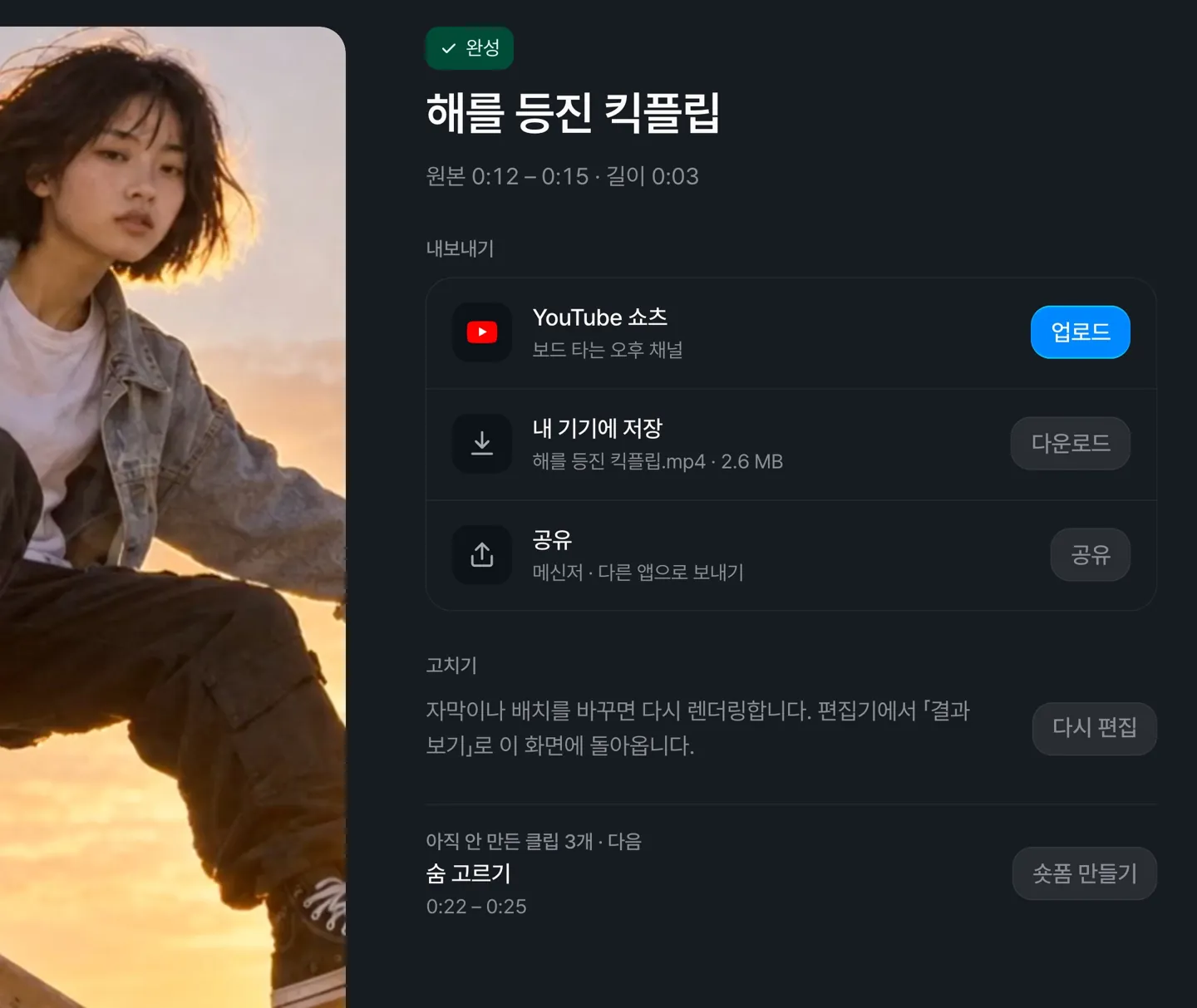
Upload to YouTube, save to your device, or share, all from one screen. Share appears in browsers that support sharing video files.
After reviewing a result, you can move straight on to the next clip you haven't made yet.
On phones, export buttons now stay at the bottom of the screen
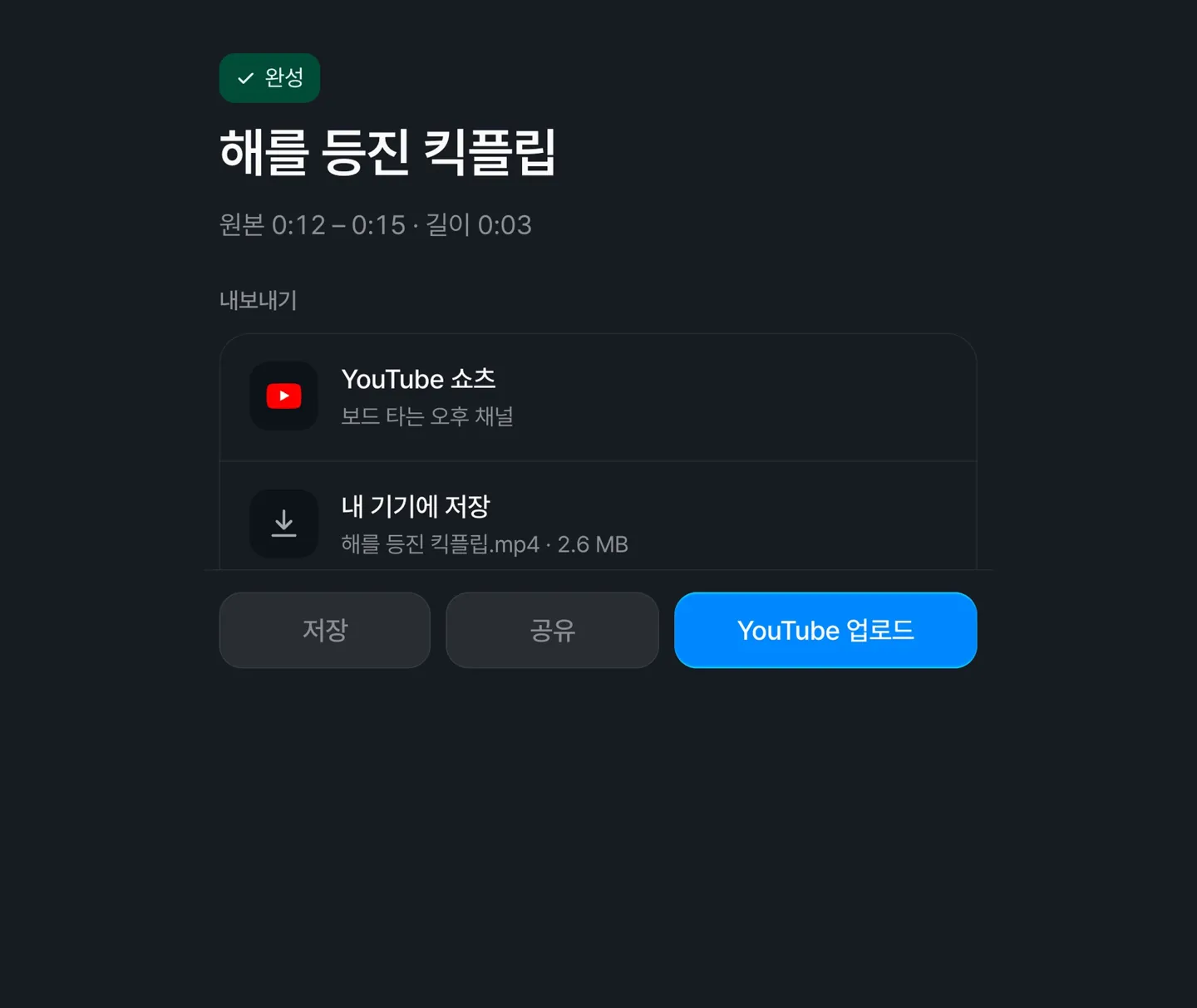
Use the Save, Share, and Upload to YouTube buttons to export right away.
The Highlight list and results have been streamlined
Click New highlight at the top right of the list to open the upload window. The results screen now consists of the clip list and a preview.
AI-written text now follows your display language
Segment summaries, selection reasons, and AI clip refine replies are written in the language you've set (Korean, English, or Japanese). This also applies when you analyze from a YouTube link.
Caption template outlines and rounded backgrounds now carry over to shorts
New shorts now keep the caption template's outline, rounded background, and font weight. Shorts you've already made are not affected.
AI models
Kling Omni now supports up to 15 seconds
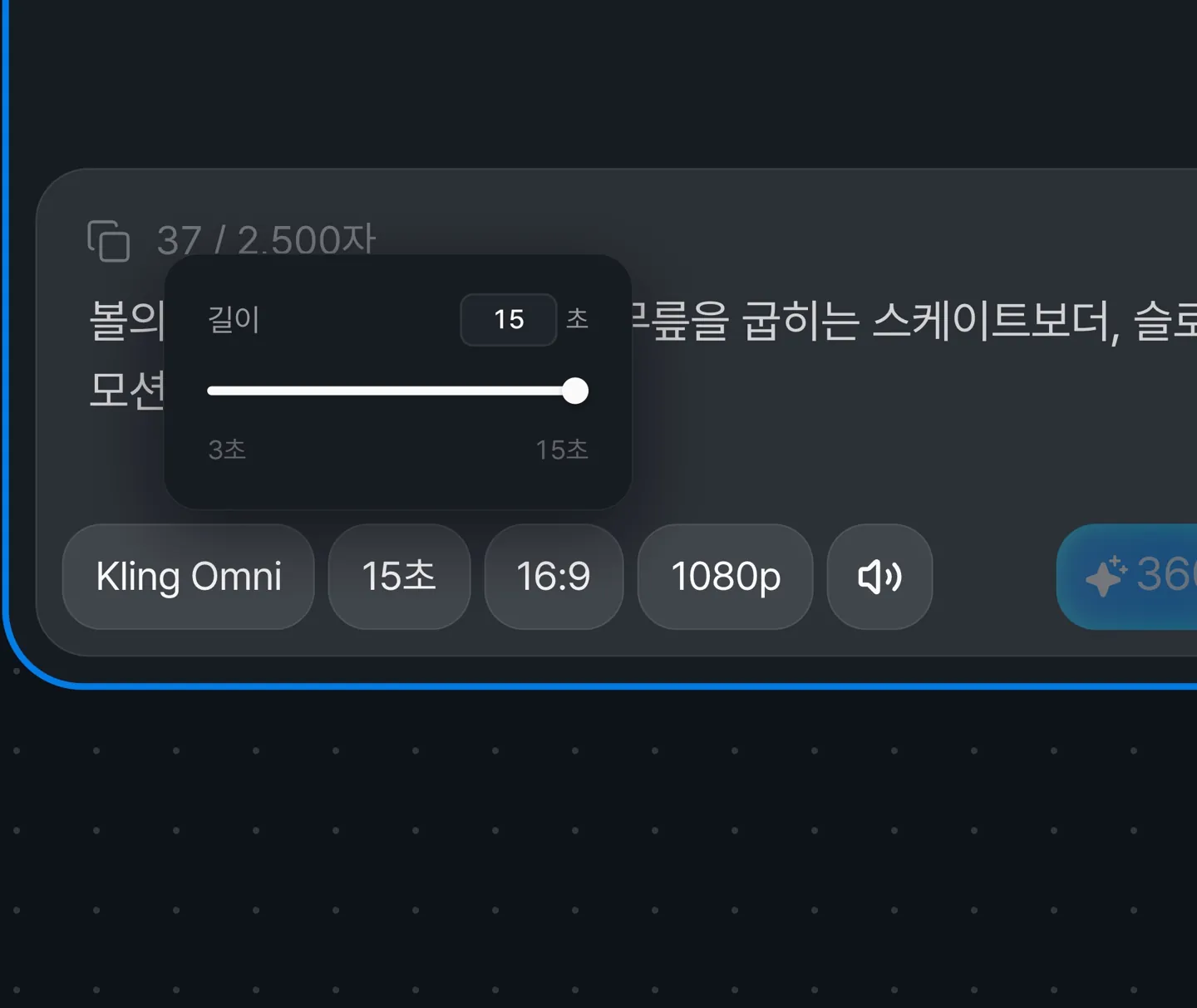
When generating with Kling Omni, you can choose a length from 3 to 15 seconds, up from a maximum of 10. Learn more on Kling Omni.