Subscription redesign, next-step menu
Plans and billing
The Subscription page has been redesigned
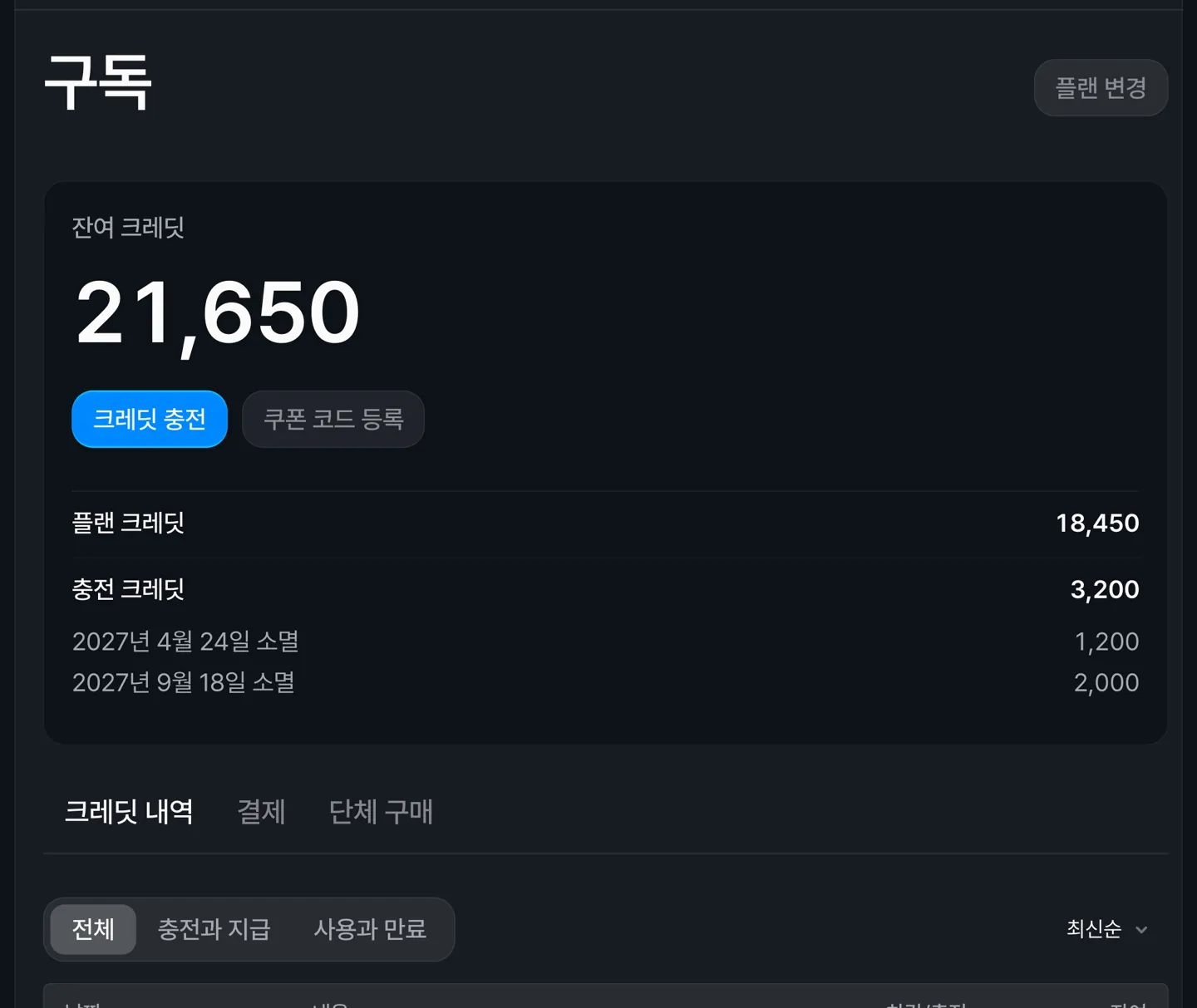 Your remaining credits now sit at the top of the Subscription page, split into plan credits and top-up credits. Under top-up credits, you can see how many credits expire on each date, one line per date.
Below that are three tabs: Credit history, Billing, and Group purchase. Gift coupons are now called Group purchase, and purchases happen on a dedicated page.
You can now see your payment history and receipts in the Billing tab
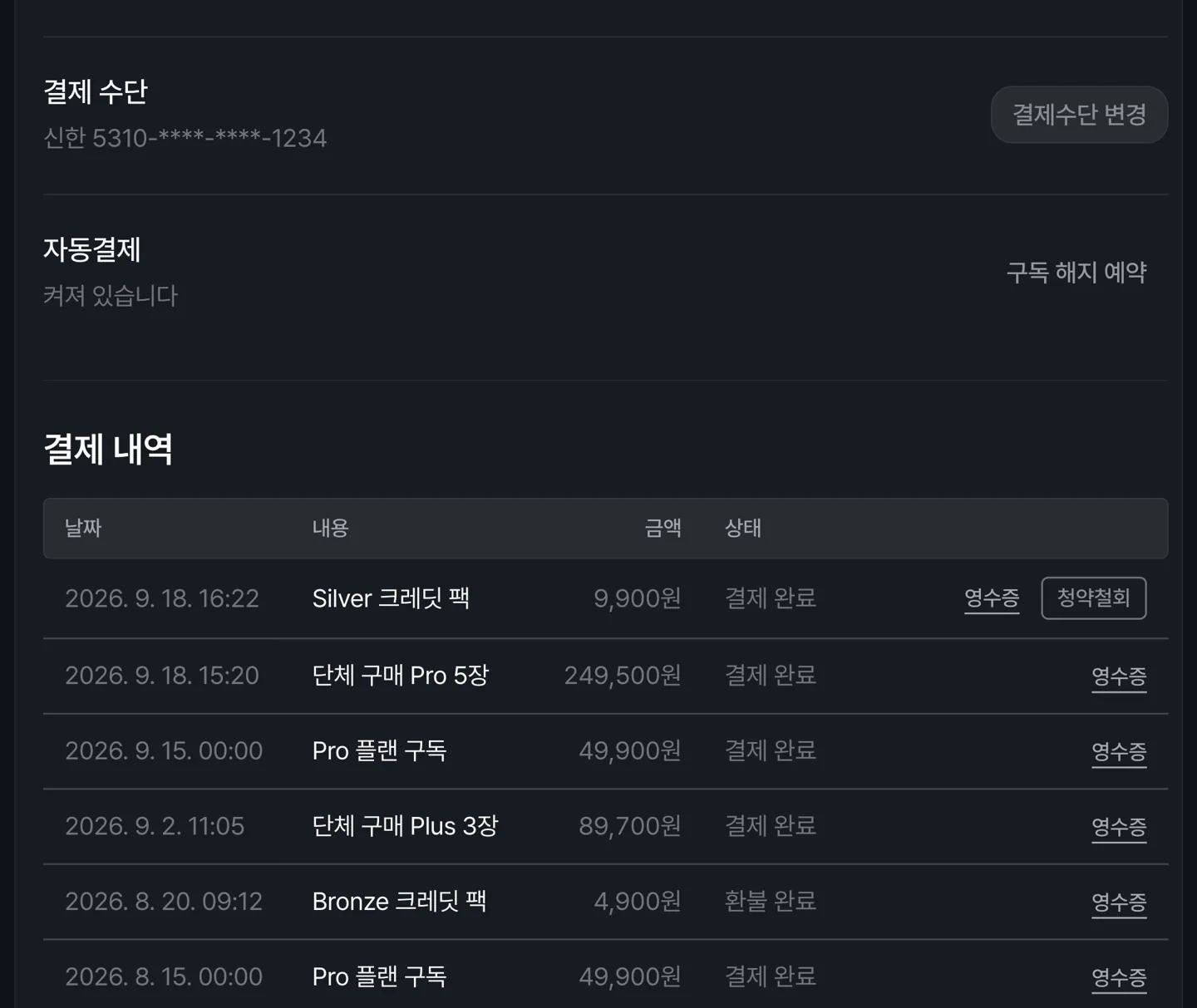 The Billing tab shows your current plan, next billing date, payment method, and payment history in KRW with receipts. You can also change your payment method here.
You can request a refund from your payment history. Only payments whose credits have not been used are eligible, within 7 days of payment for top-ups and within 24 hours for subscriptions.
Canvas
You can now pick your next step from a node's output point
Each node now has a single output point on its right side. Clicking it opens a next-step menu, where you can choose what to do next, such as Make a video from an image node, or Add to an edit and Post to YouTube from a video node.
The new node is added already connected, and the view moves to show it. When a video finishes, a hint appears next to its output point to help you choose the next step.
You can now choose image or video for an AI prompt node
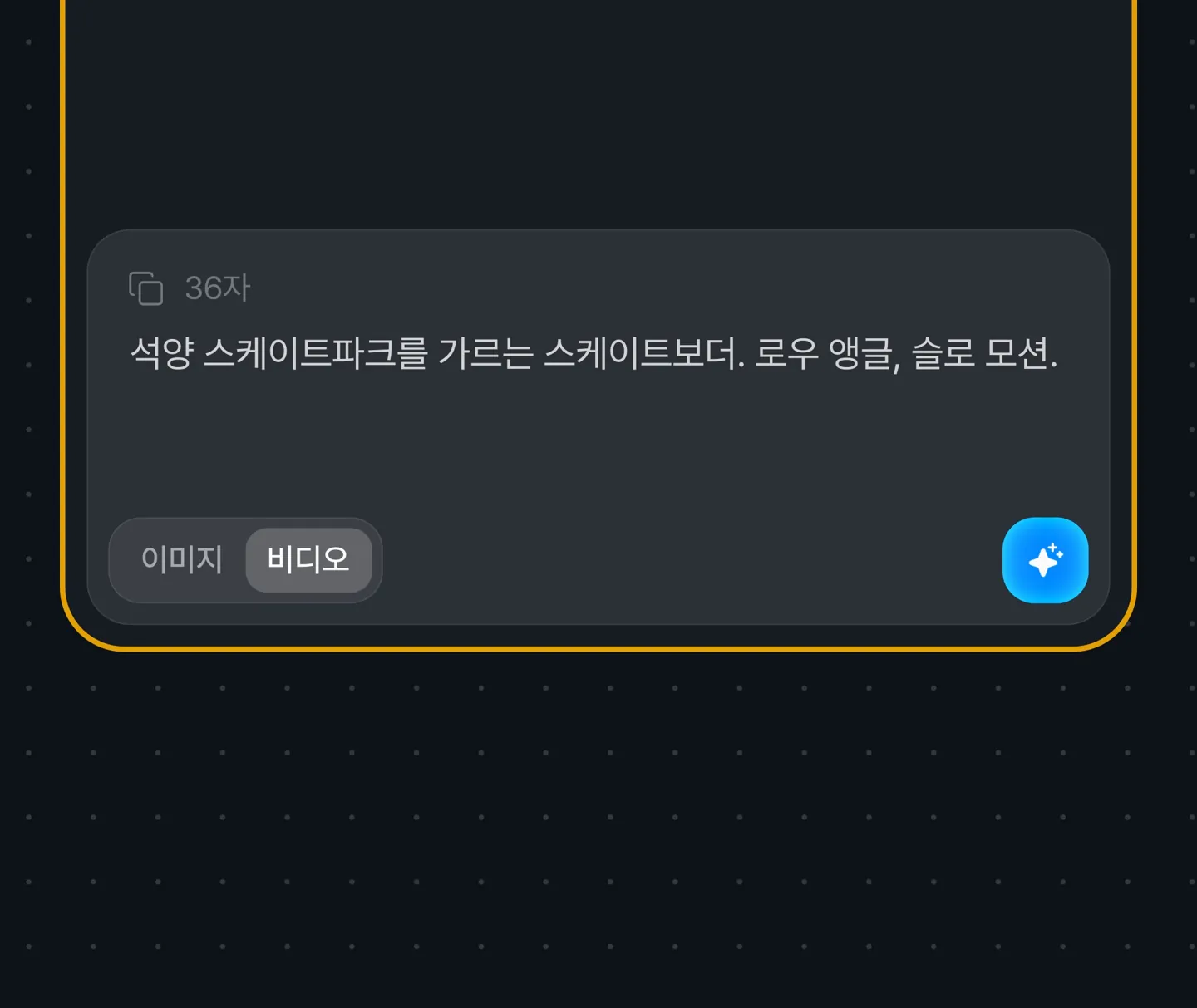 Use the Image and Video toggle below the input to set what the prompt is for. If the node is connected to an image or video node, the purpose follows that connection.
If you connect a prompt that already has a purpose to a different kind of node, a new prompt node for that kind is created from the same draft.
You can now upload audio files to a sound node
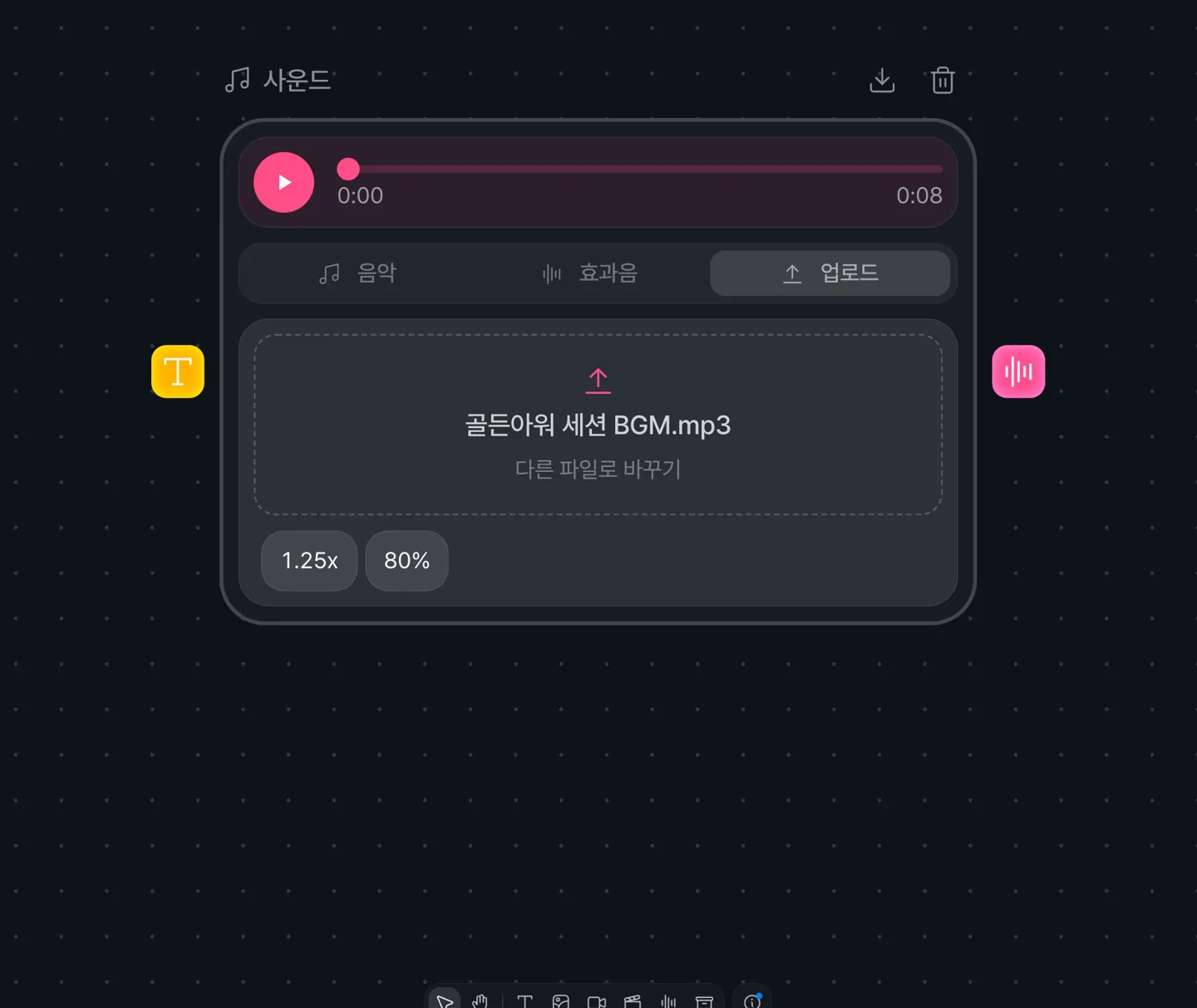 Sound nodes now have an Upload tab alongside Music and SFX. You can upload MP3, WAV, M4A, AAC, or OGG files up to 100MB, and dropping an audio file onto the canvas creates a sound node in that spot.
You can adjust the speed (0.5x to 2x) and volume of uploaded audio.
Sound effect prompts written in Korean no longer come out as speech
When a sound effect prompt contains Hangul, kana, or kanji, it is now rewritten as an English sound description before generation. Previously, a Korean prompt could be read out as words rather than treated as a description of a sound.
The light theme canvas has been refined
In the light theme, the canvas background and node cards are now brighter. Icons on generating nodes shimmer like the progress text, and the descenders of g, j, p, q, and y are no longer clipped in node titles.
Canvas thumbnails in your project list now load faster
Canvas thumbnails are now saved for both the light and dark themes, so the project list and Home show them right away without redrawing. Existing projects pick this up after you open and edit them once in the canvas.
Generation failure messages have been improved
When a model is temporarily unavailable on Klipse's side, you are asked to choose a different model and try again. Failures on sound, TTS, and image nodes now show messages written for each node.
Composition
Composition previews no longer freeze on a black screen
We fixed an issue where, when editing several clips in a row, the preview went black and would not play over the earlier clips.