Klipse Assistant, new landing and model pages
Canvas
You can now use Klipse Assistant in Canvas
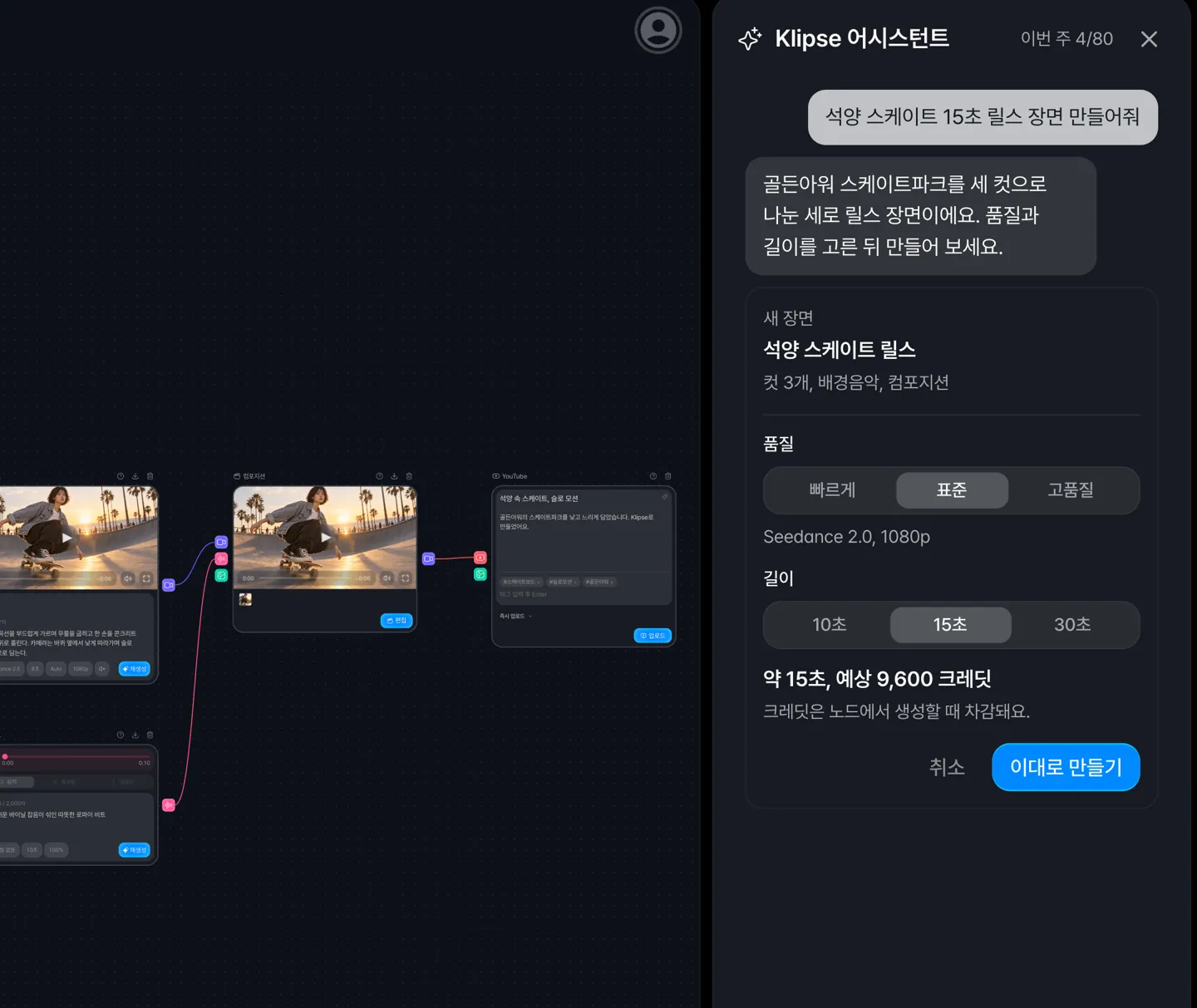 Click the Assistant button in the toolbar and describe what you want to make. The assistant proposes changes that create, edit, and connect the nodes you need, and nothing changes on your canvas until you click Apply.
It also answers questions about using Klipse, credits, and error messages. Using the assistant does not cost credits.
The weekly message allowance is 10 on Trial, 30 on Lite, 80 on Plus, 150 on Pro, and 250 on Ultra, and it resets every Monday at 00:00 Korea time.
Empty canvases now have starter cards
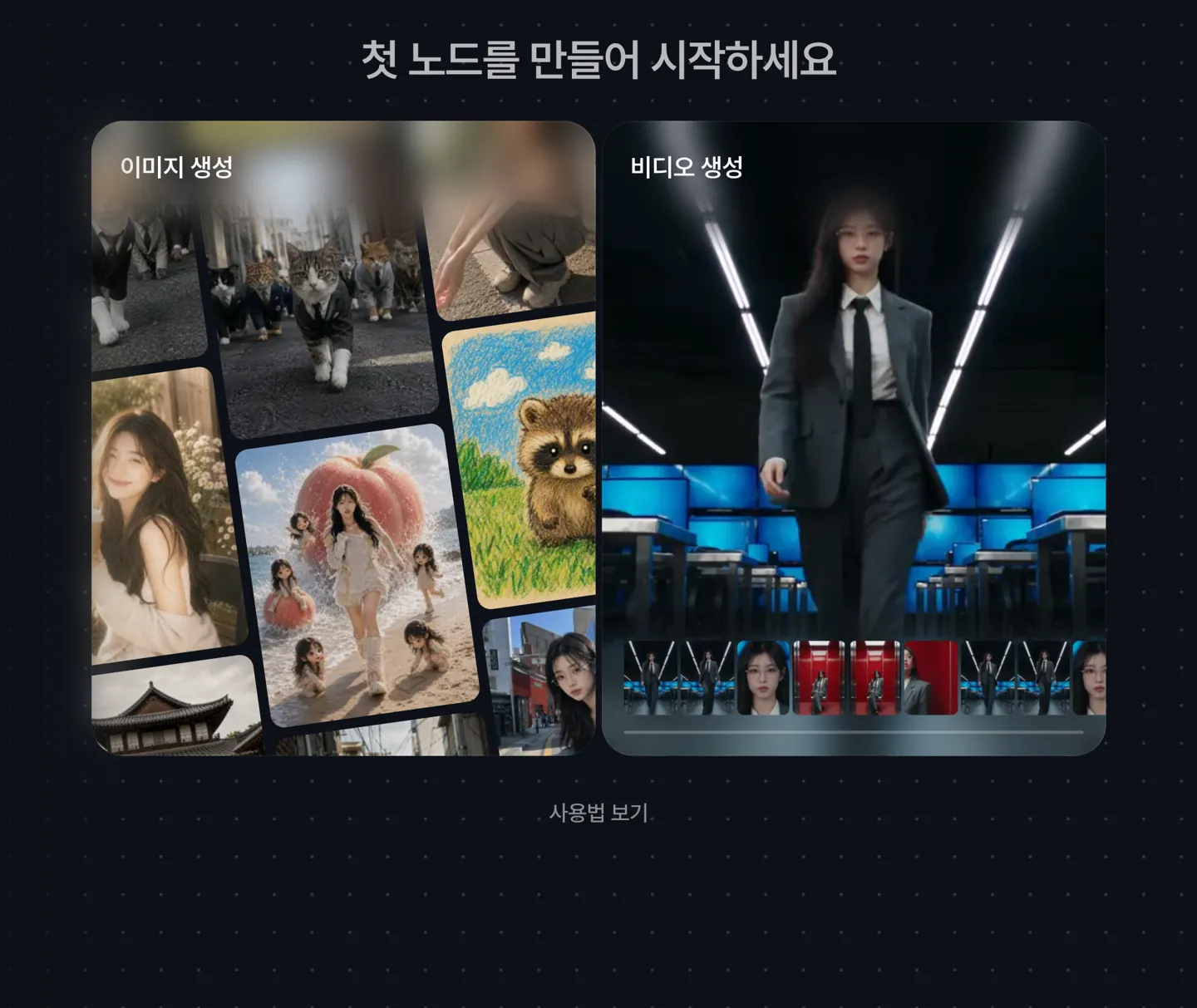 An empty canvas now shows Generate image and Generate video cards, and clicking one adds that node. When your first image and video are ready, Klipse suggests the next steps, such as Make a video, Add to an edit, and Post to YouTube.
If you have no projects yet, you can start a Canvas, Composition, or Highlight project right from Home.
Help now opens in a side panel
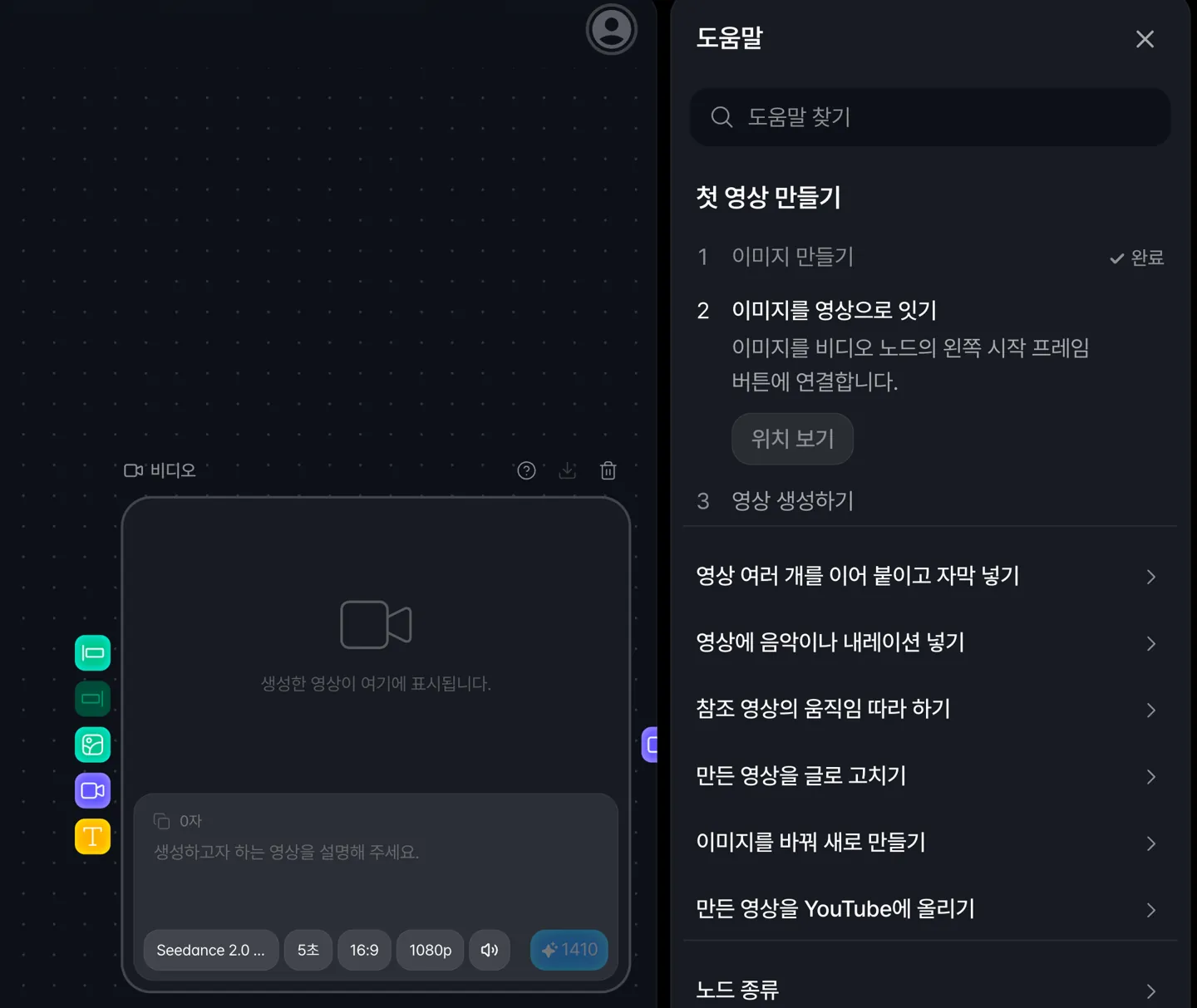 Help now opens in a panel on the right, so you can read it while looking at your canvas. The three steps for making your first video are checked off automatically as you go.
Shortcuts, model comparisons, and frequently asked questions are in the same panel.
Prompts that exceed a model's character limit are now flagged
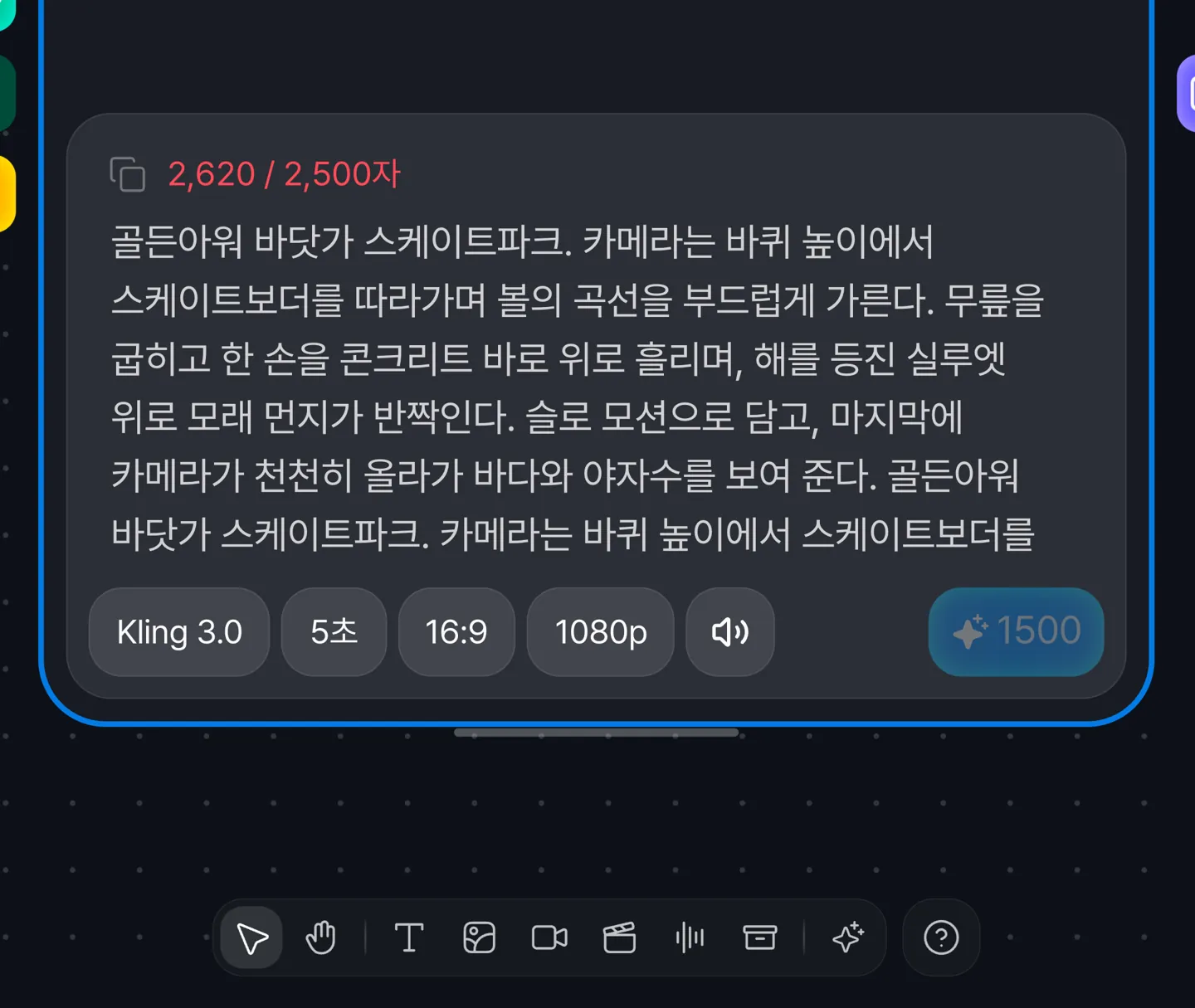 If a video prompt is longer than the selected model allows, the character count turns to a warning color and the generate button is disabled, so you can fix it before any credits are used.
Generation now waits for connected nodes to have results
If a connected upstream node has no result yet, the generate button is disabled. Previously, generation went ahead without that input, which could produce a video with no start frame.
Generate the upstream node first, or disconnect it, and then generate.
Long-running video generations are now tracked to the end
We fixed an issue where video generations taking longer than 30 minutes were shown as failed. Klipse now waits until the video is ready or is determined to have failed.
When an image generation fails, the message now tells you whether it was the file format or size, a safety policy, or copyright.
Composition
Transitions and clip effects are no longer lost
We fixed an issue where transitions and clip effects added in Composition disappeared when you reopened the edit or rendered the result. Transitions after short pieces split from the same clip are no longer shortened either.
Website
The landing page has been redesigned
 Canvas, Composition, and Highlight are now introduced as scenes that play as you scroll, and the first screen loads faster.
Model pages are now available
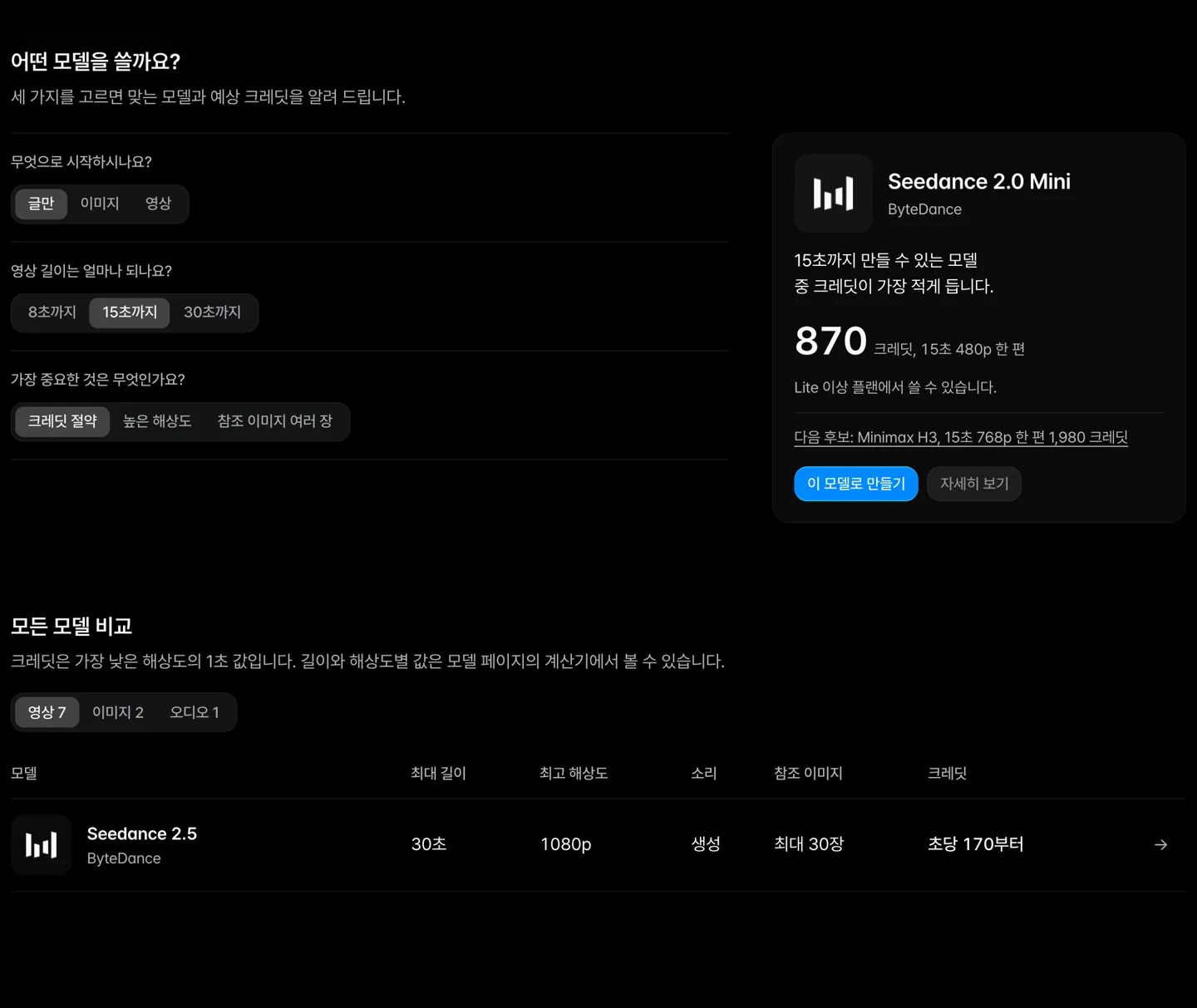 On the Models page, you can compare video models by length, resolution, sound, and credits in one table. Pick three conditions to get a matching model and an estimated credit cost.
Each model's page includes a credit calculator.
The ambassador program page is now open
 We are looking for creators who make content with Klipse. On the Ambassador page, choose between the regular content track and the project track and apply directly.