Highlight workspace, Nano Banana 2.1
Highlight
Highlight now works in a single workspace
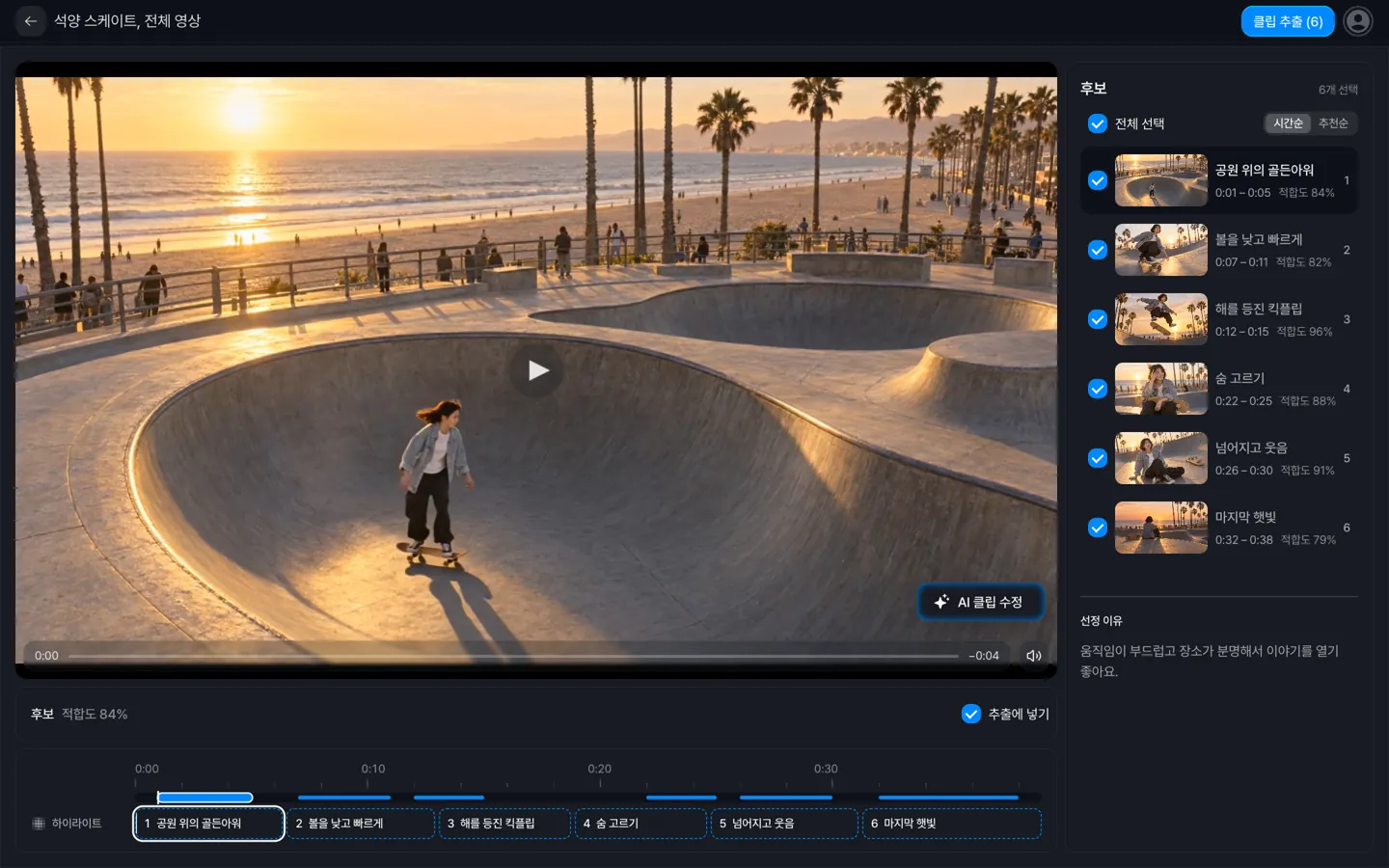 New highlights and existing projects now share the same workspace, so uploading, analysis, and reviewing results all happen on one screen.
If a job stops, the bar below the stage shows which step stopped, why, and what to do next.
You can now start a new highlight in the workspace
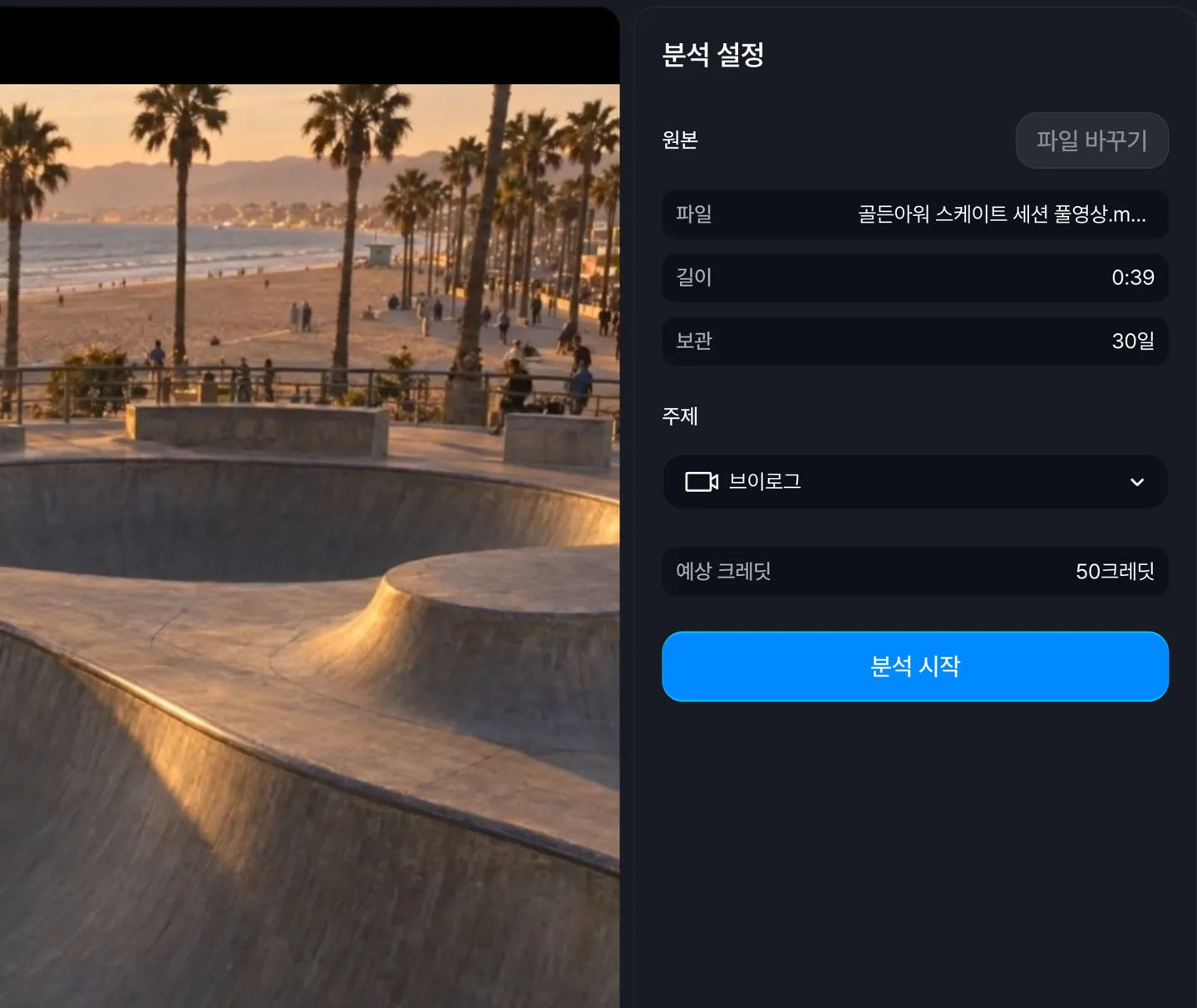 Choosing a video and setting up the analysis happen on one screen. You can drop a video file onto the middle of the screen, and when the analysis finishes, the segments it found fill the track below.
You can now manage candidates through to shorts in one place
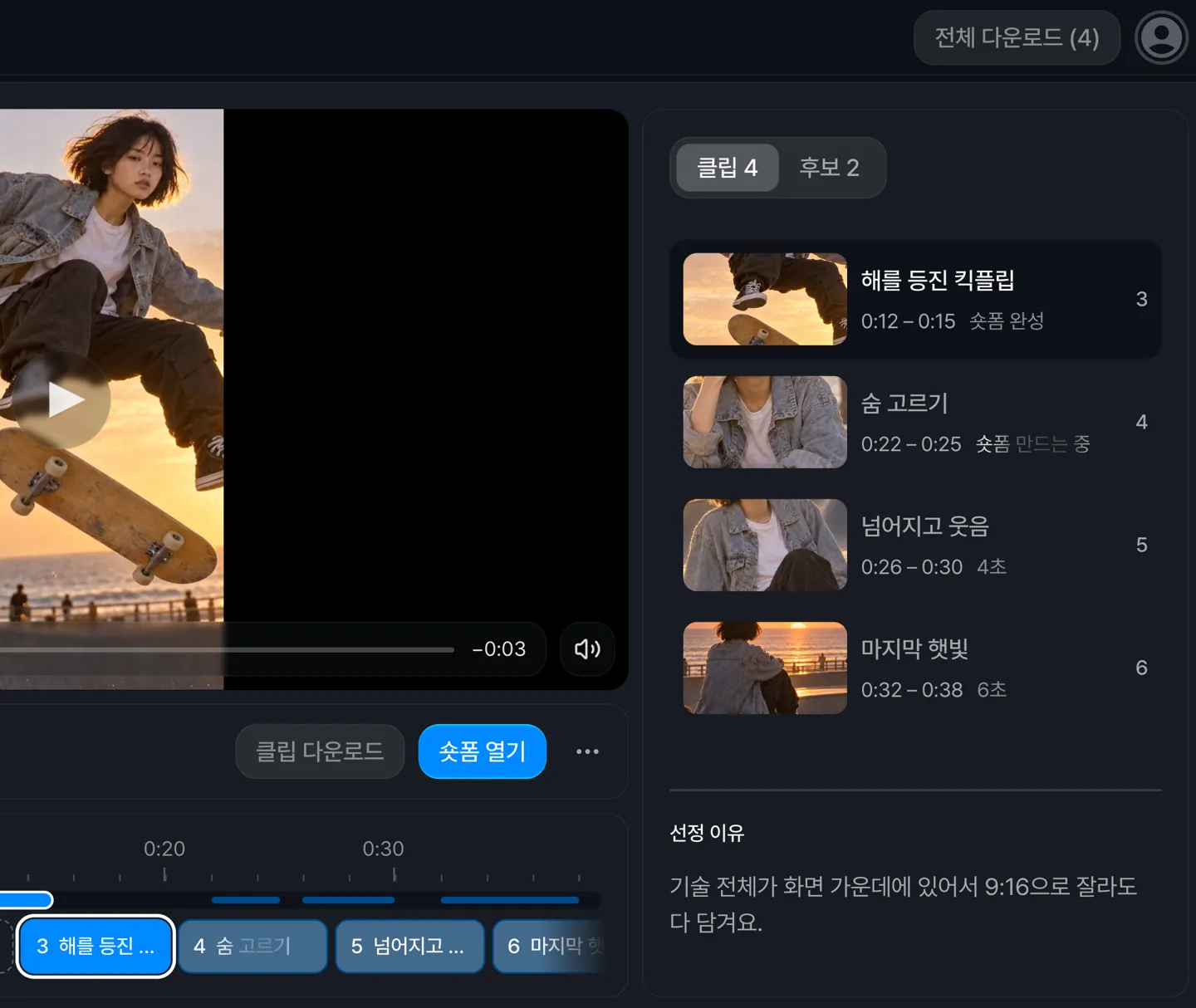 Each segment shows its status as it moves from candidate to clip to short. Even after extracting clips, you can pick more candidates and extract them too.
When the analysis finishes, the highest-scoring segments are preselected, up to the number of clips your plan can extract.
You can now review one segment at a time on your phone
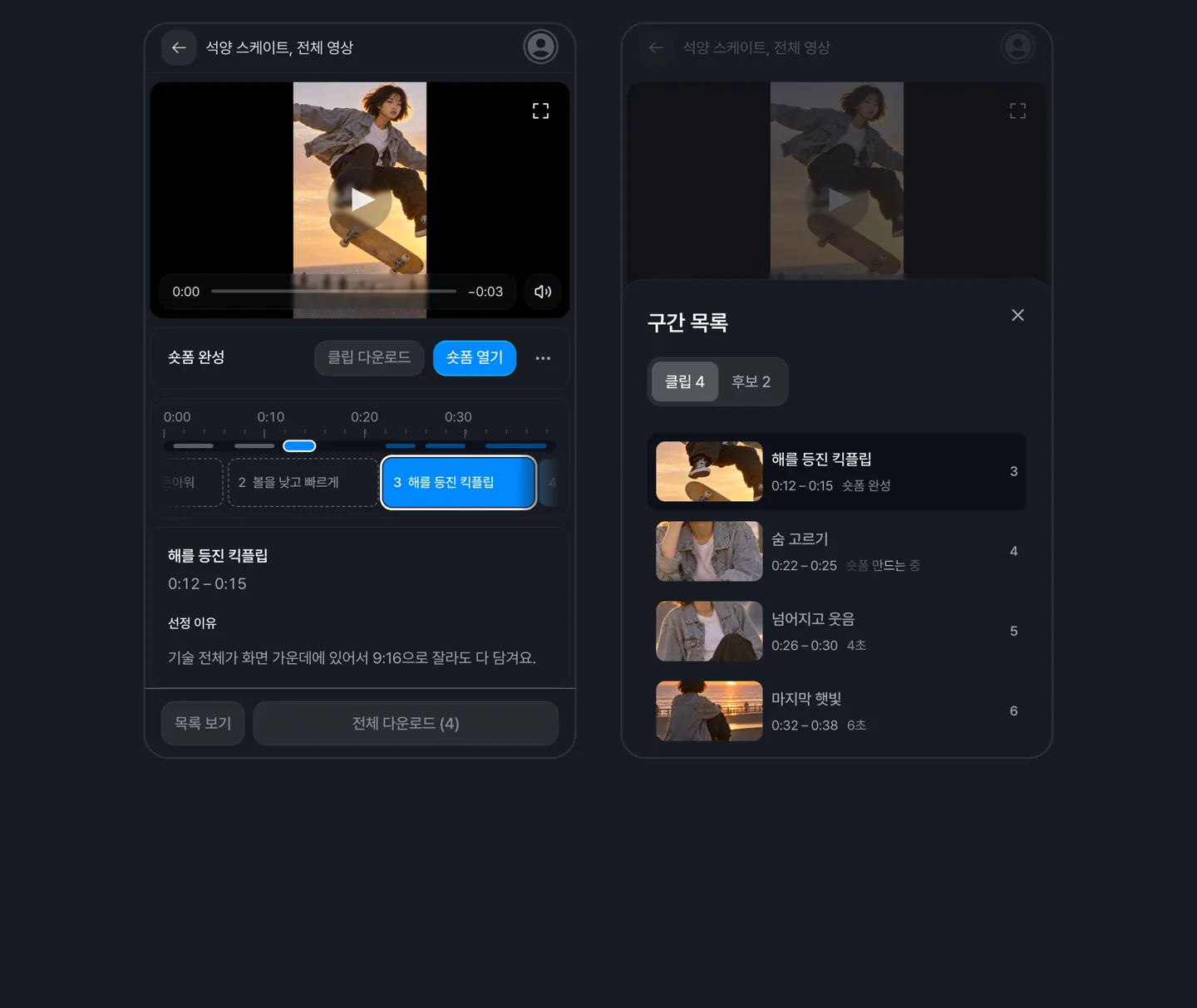 The current segment's title and the reason it was picked appear below the video, and you can see every segment from the list view. Vertical shorts can be played full screen.
You can now get notified when a job finishes
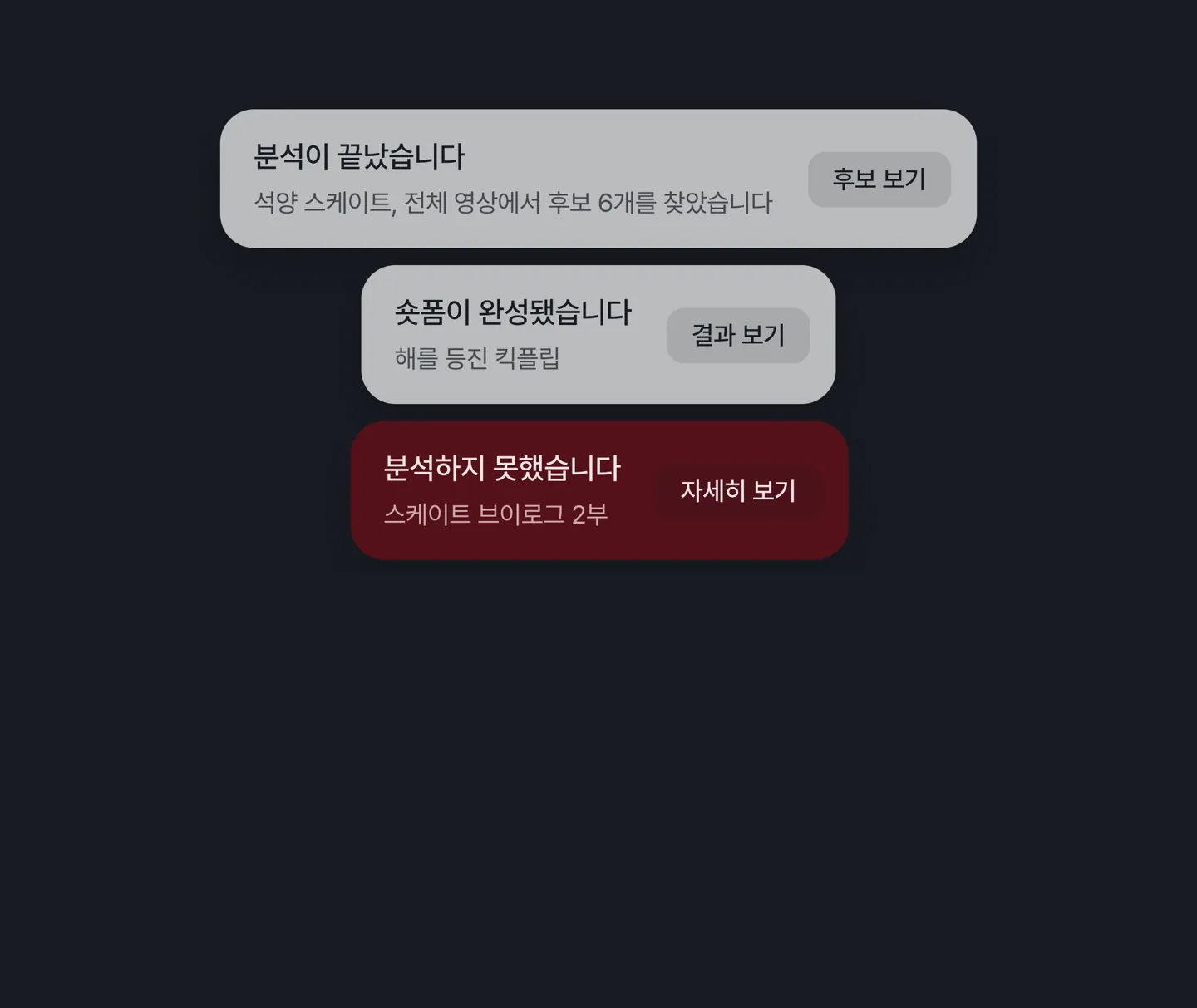 You are notified when analysis, clip extraction, or shorts rendering finishes or fails, even on other screens. Turn on browser notifications to be alerted while you are in another tab.
AI models
Nano Banana 2 has been replaced with Nano Banana 2.1
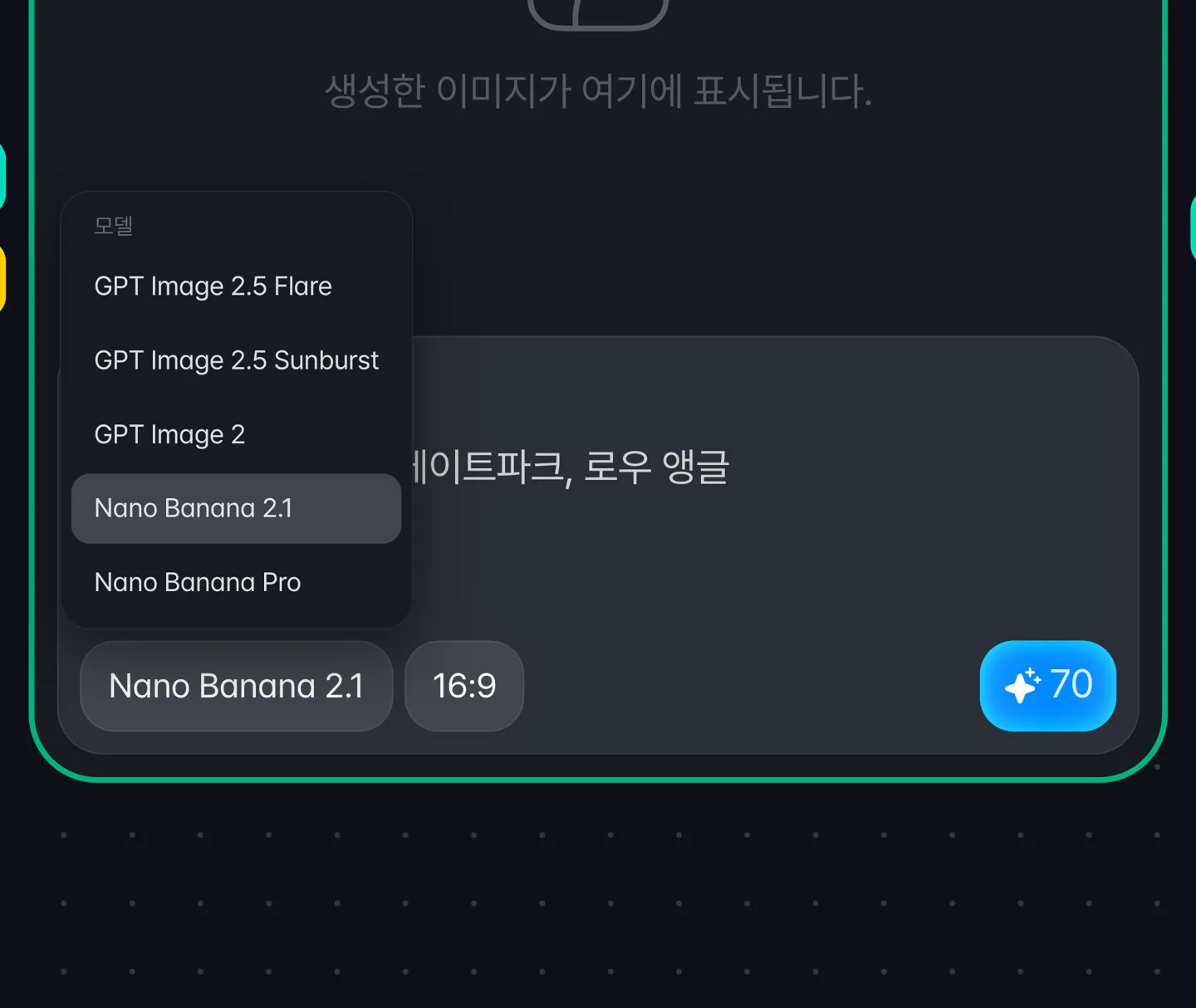 Image generation now costs 70 credits instead of 150, and each reference image costs 10 credits instead of 20.
Image nodes that had Nano Banana 2 selected now generate with Nano Banana 2.1 without any changes on your part.
Canvas
Input requirement errors are now more specific
When a generation fails because a reference video or image is outside what the model supports, the message now tells you the required resolution, size, or aspect ratio range.