Gift a plan, stickers in image editing
Plans and billing
You can now gift a plan
From Gift a plan on the Subscription page, choose a plan and a quantity and pay in a single checkout.
You receive one coupon code per plan purchased, and each recipient's plan runs for one month from the day they redeem the code. No plan is applied to the paying account.
You can track how many coupons have been used, copy the unused codes, or download them as a CSV file. Accounts already on a paid plan can redeem a coupon after their current plan ends.
Canvas and Composition
NodeCanvas is now Canvas, and VideoEditor is now Composition
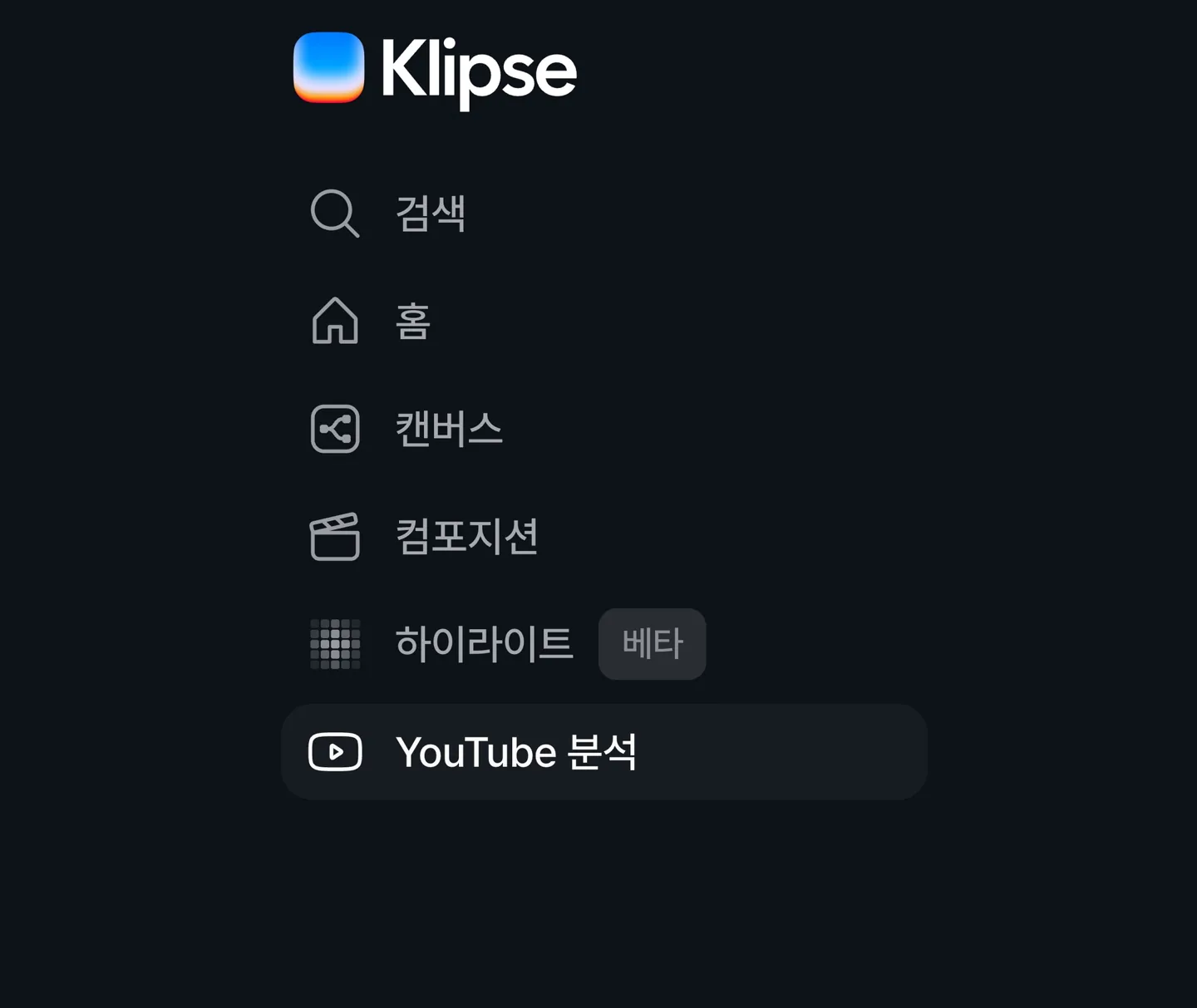
The names in the sidebar and across each screen have changed. Everything works the same as before.
You can now add stickers in Edit image
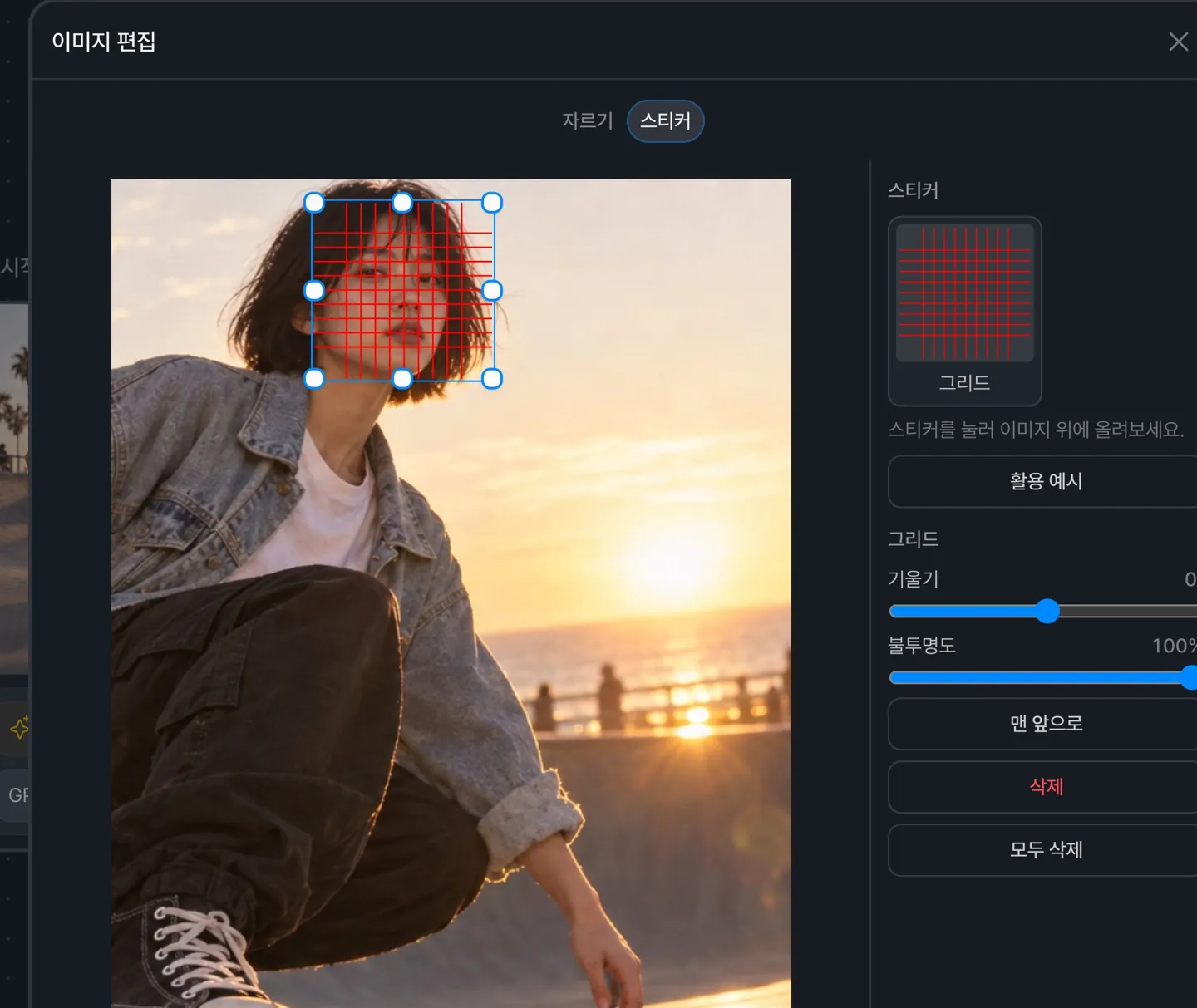
Right-click an image node and open Edit image to use the Crop and Sticker tabs.
Drag stickers into place and adjust their size, rotation, and opacity. When you edit again, your stickers and crop area are restored exactly as you left them.
Slow image generations now deliver their results
Even if the connection drops during a long image generation, the result now appears in the node.
After a refresh, images still being generated keep showing their progress, and finished images are filled into their original nodes.
Image node quality settings are now kept
Each node keeps the quality you selected, even after you reopen the canvas.
Highlight
Highlight now tells you which parts couldn't be analyzed
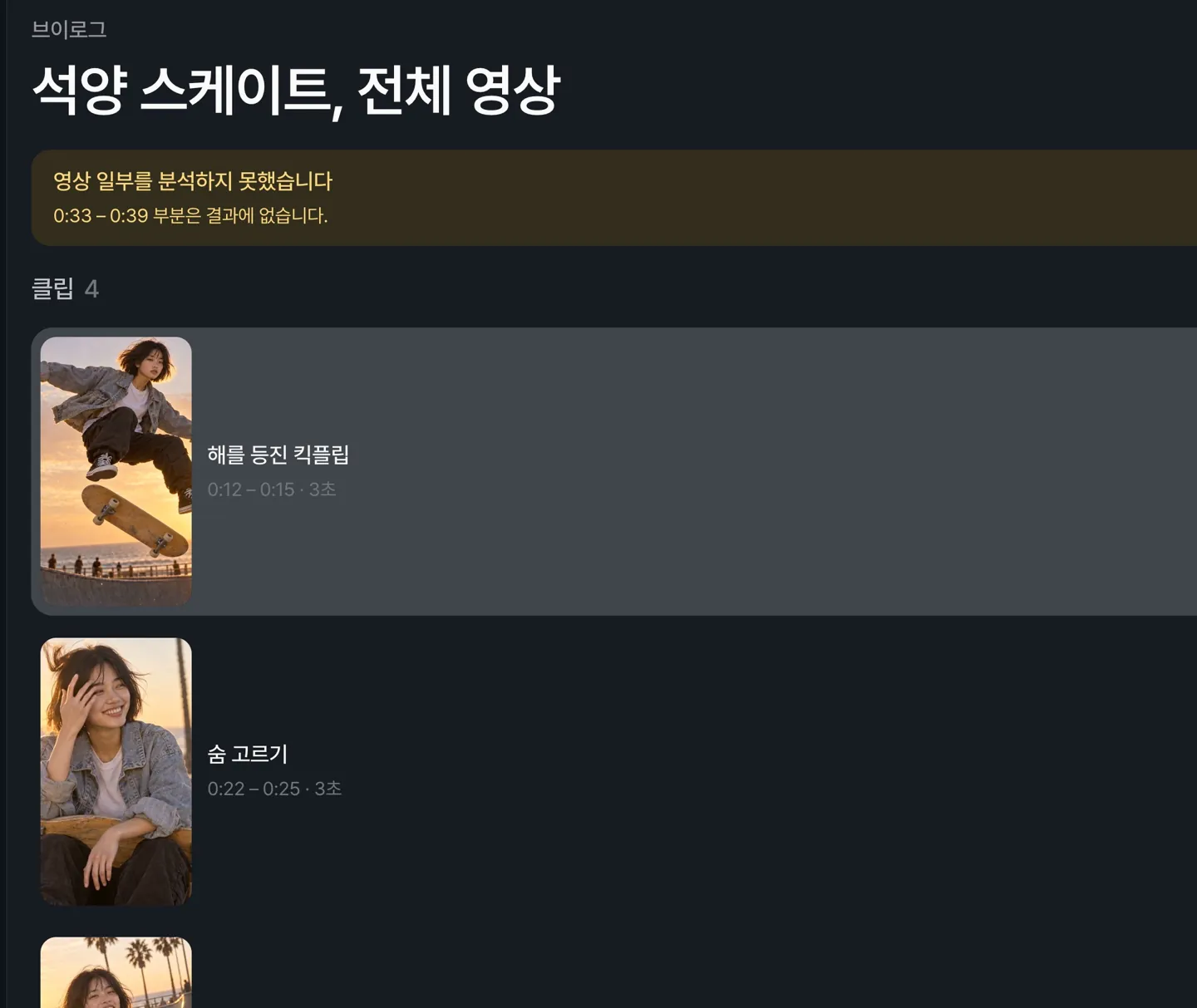
If part of a video couldn't be analyzed, the time range appears at the top of the results. Analyzing again may include it.
Videos your browser can't open are now flagged at upload
If you pick a video in an unsupported format or a damaged file, the reason appears next to the button, along with a suggestion to convert it to H.264 (MP4) and upload again.
General
You can now adjust the volume in the video player
Hover over the speaker button on the playback bar to open the volume slider. Your volume stays the same as you move between videos.
YouTube
Fixed a blank screen after connecting a YouTube account
After you finish connecting your YouTube account, you now return to Settings as expected.