GPT Image 2.6 and new YouTube and Instagram analytics
v1.15
AI models
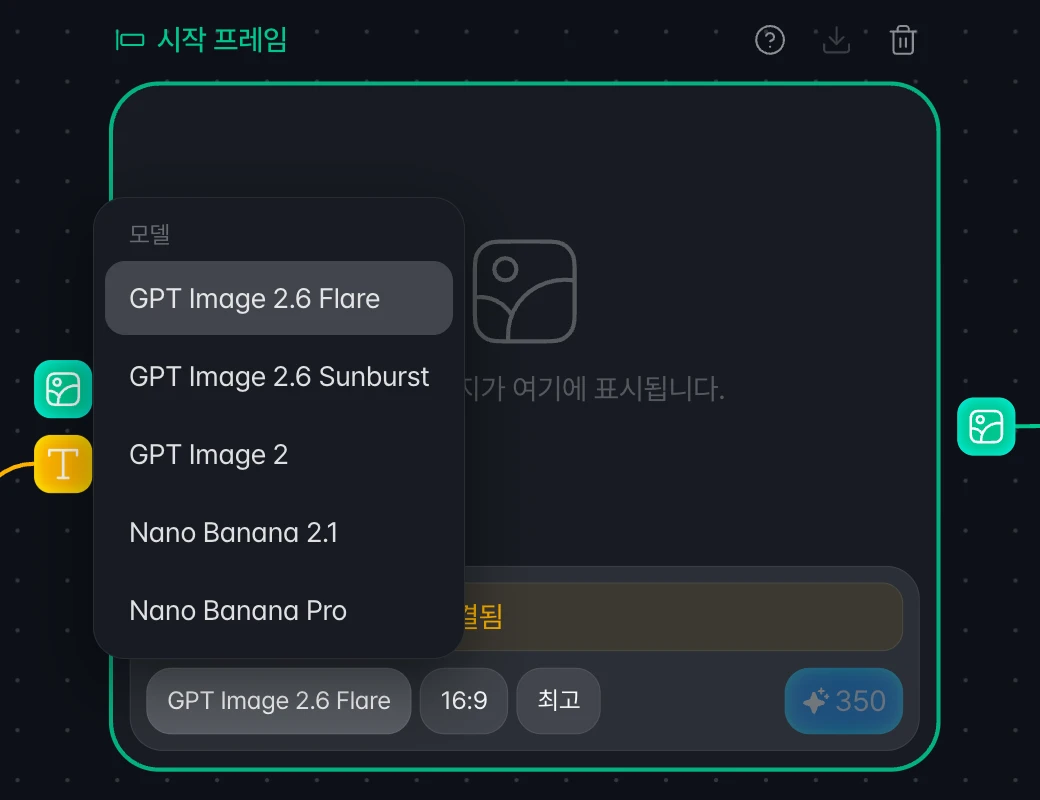
Image generation now uses GPT Image 2.6
GPT Image 2.6 replaces GPT Image 2.5. You can choose Flare or Sunburst, and GPT Image 2.6 Flare is the default.
Credits per quality level are the same as GPT Image 2.5. Nodes and templates created with GPT Image 2.5 now generate with GPT Image 2.6.
Analytics
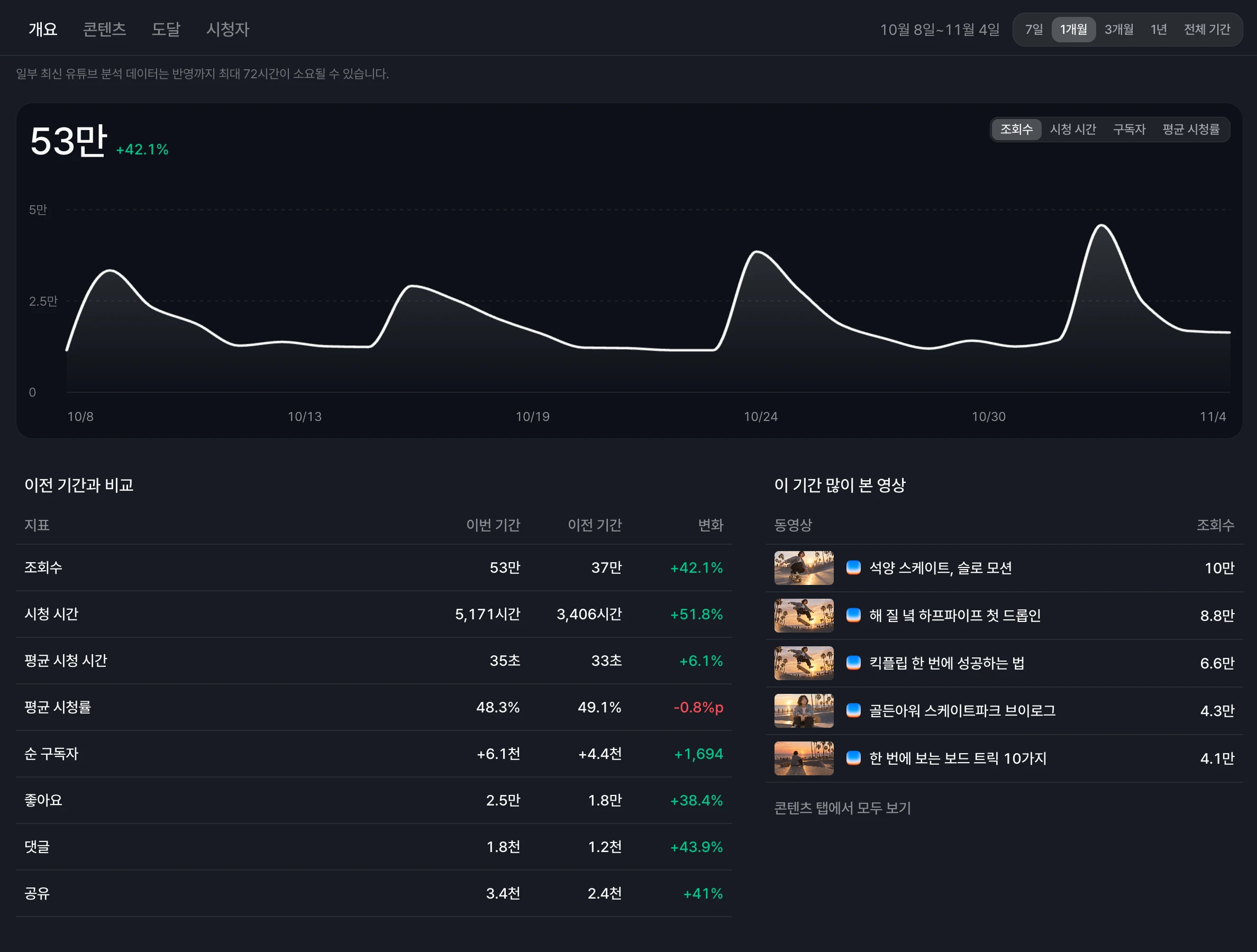
Redesigned YouTube and Instagram channel analytics
Both pages are now organized into Overview, Content, Reach, and Audience tabs.
The Overview tab shows a main chart and a comparison with the previous period, and the Content tab lets you sort videos and posts in a table.
Updated YouTube video analytics
Video analytics is organized into Overview, Reach, and Audience tabs. The retention curve on the Overview tab now marks the average view point.
Canvas
New nodes use the settings from your canvas
New image nodes inherit the model and quality you last selected on this canvas. New video nodes inherit the model, resolution, duration, aspect ratio, and sound.
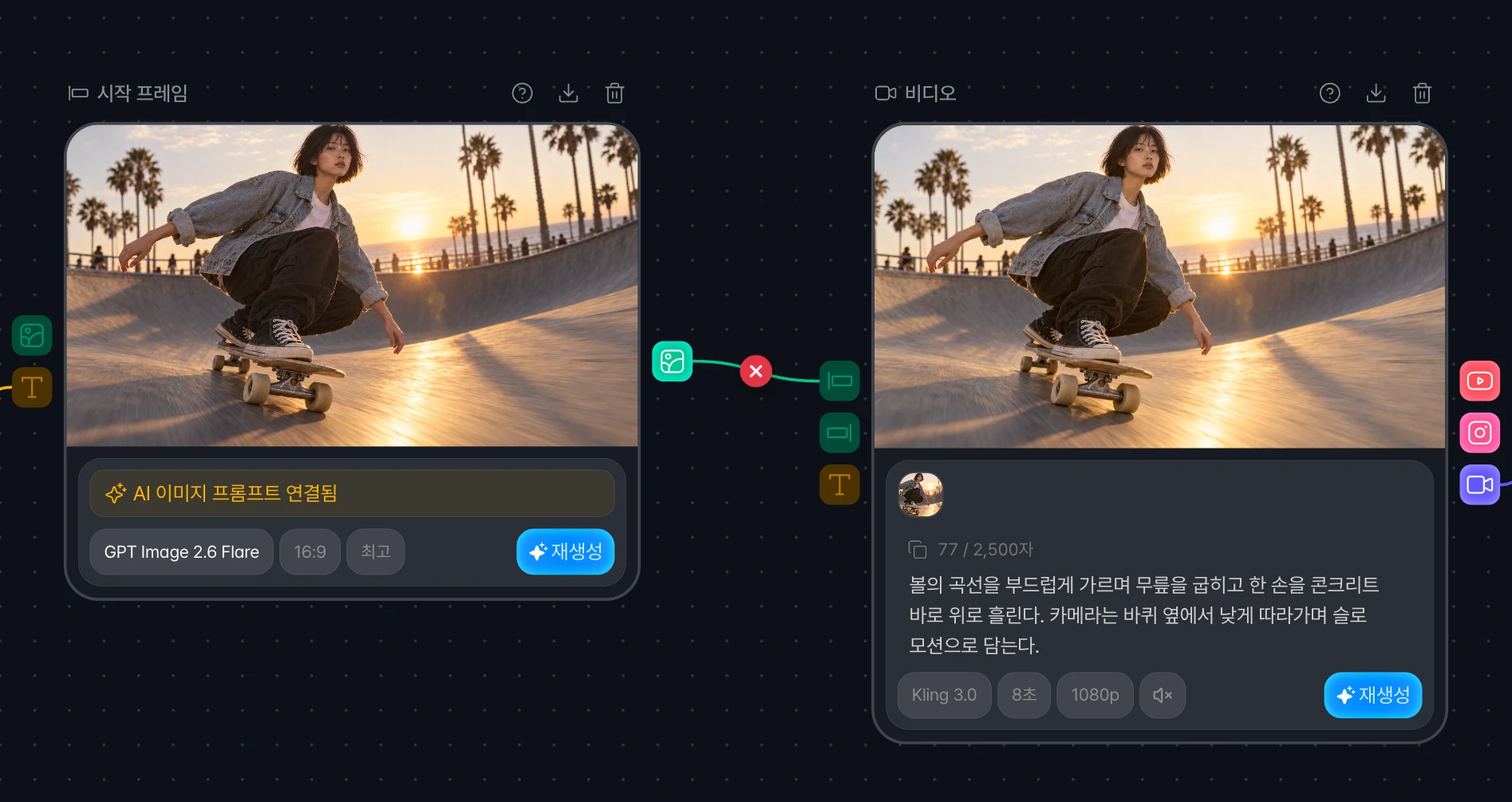
Disconnect lines more easily
The disconnect button now appears on the line near your cursor. You can also click a line and press Delete.
Send a frame from the video editor to the canvas
Select Place on canvas as image node in the video editor preview to add the frame at the playhead as an image node next to the edit node.
Smoother canvas on lower-end devices
Panning, zooming, and clicking connection lines stutter less. Zooming in the carousel editor also benefits from this change.
Generating state stays continuous and covers the whole node
Fixed an issue where the generating animation cut out partway through. It now covers the whole image on vertical and square nodes as well.
Layers panel starts collapsed on narrow screens
Fixed an issue where the Layers panel covered most of the screen when opening a canvas on a narrow screen.
Remix
Report a template
Select Report from More on a template card, the detail view, or the feed on narrow screens, then send a reason.
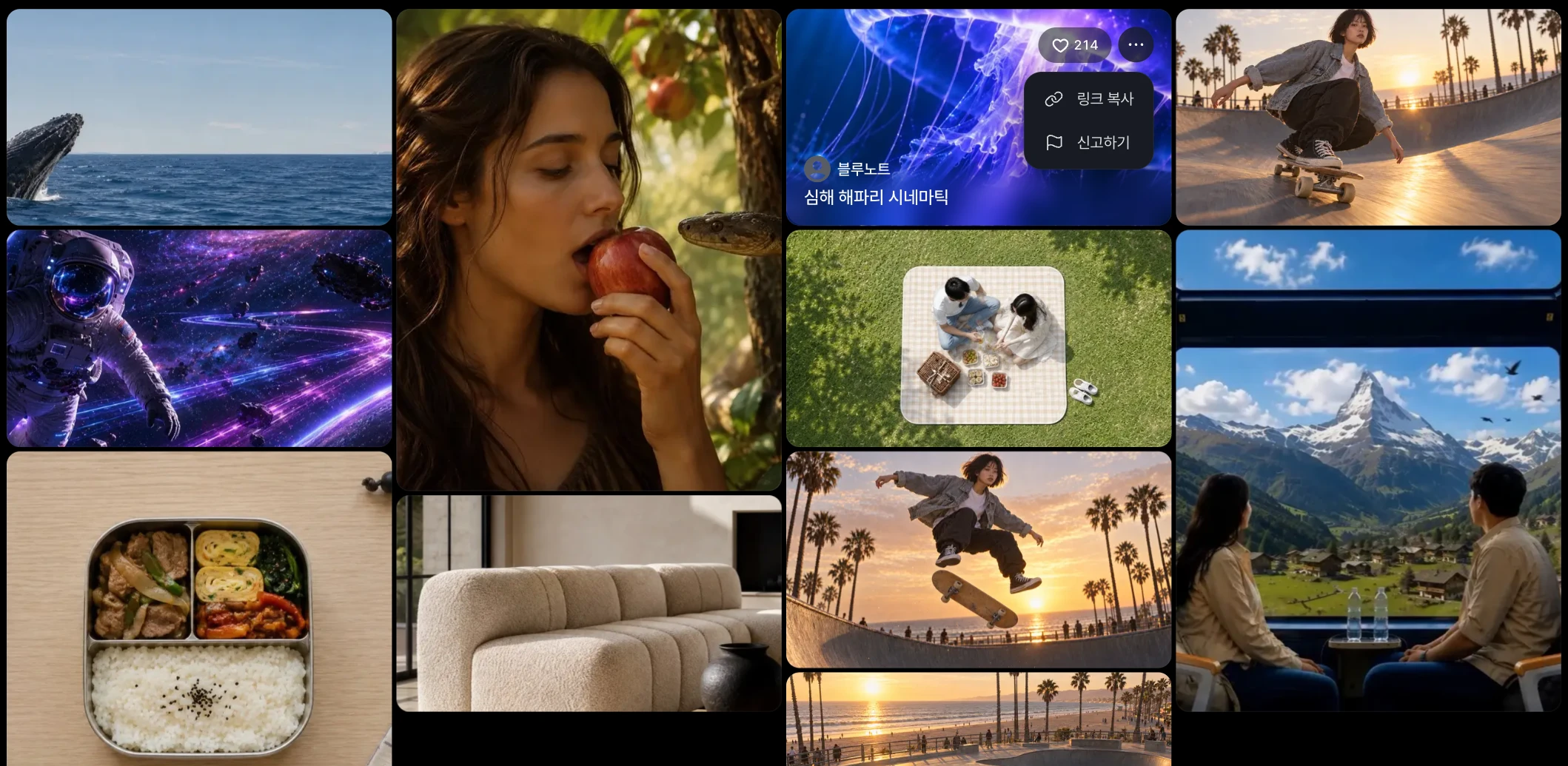
Cards now focus on the image
With a mouse, the author, title, like count, and More appear when you hover over a card.
Also fixed an issue where the like button appeared over the top bar while scrolling.
Landscape videos are centered in the mobile feed
Fixed an issue where landscape videos sat toward the bottom of the screen.
Example result nodes keep their own video
Fixed an issue where a video made in your version was also saved to the example result node when the canvas was reopened.
Website
New image at the top of the Carousel page
The image at the top of the Carousel page is now an animated scene of the editor.
Switches that are off are visible in light theme
Fixed an issue where switches that are off in YouTube scheduled publishing could not be seen in light theme.